Make steady, deliberate photographs
Improve your grip, timing and camera control before worrying about complicated settings.
Photography Made Simple by Colin Myers Photography
A practical, self-guided course that shows you how to make sharper, brighter and better-composed photographs—with the phone or camera you already own.
Buy securely
through Colin Myers Photography
Receive your private link
in your order confirmation
Learn at your pace
with the full course ready to use
Photography without the fog
Photography advice can make a simple picture feel like a maths exam. Photography Made Simple puts the mathematics back in the drawer and concentrates on what changes the photograph in front of you.
You’ll begin with steady, reliable pictures, then build control over exposure, composition, light and visual storytelling. Every idea is explained in plain English and followed by something useful to try.
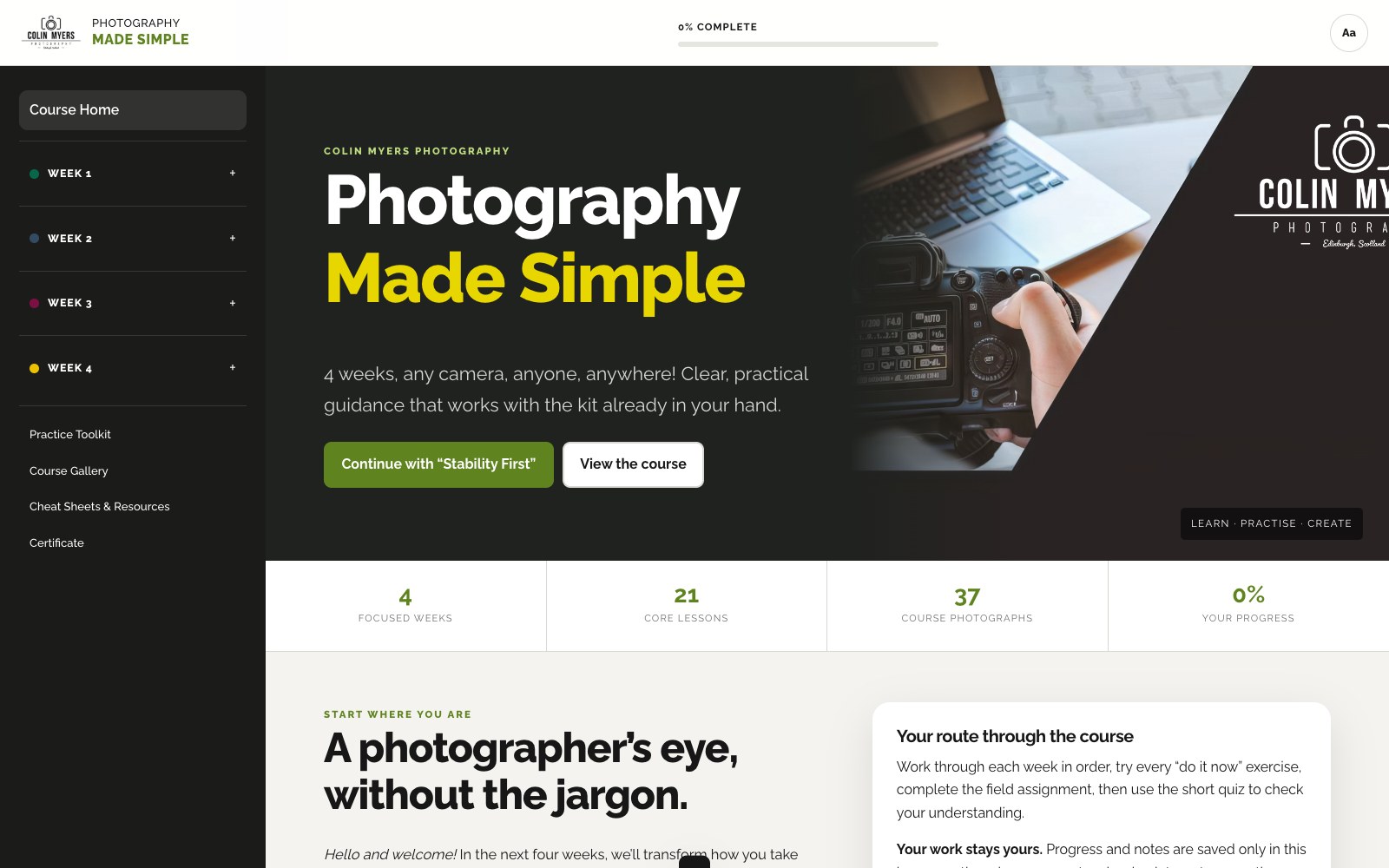
The complete course application
The course opens as a private, accessible browser application. Lessons, exercises, tools, notes and progress all live together, so you always know where you are and what to do next.
What changes by the end
Each week answers a different reason photographs disappoint.
Improve your grip, timing and camera control before worrying about complicated settings.
See how aperture, shutter speed and ISO affect both exposure and the character of an image.
Use structure, lines, depth, symmetry and cleaner edges to guide the viewer’s attention.
Move from single pictures to small, confident stories about places, people and everyday life.
Your four-week route
Follow it over four weeks or take longer. Nothing is drip-fed and there are no deadlines.
Field assignment: Still & Moving
Field assignment: Two Views, One Scene
Field assignment: Story of a Place
Field assignment: Your Four-Shot Travel Tale
Every week also includes a five-question knowledge check to help the important ideas stick.
Learn by doing
Use the controls, make a decision and see the trade-off. These are working learning tools—not decorative demonstrations.
Move aperture, shutter speed and ISO, then see how brightness, depth, motion and noise change together.
Switch on thirds, centre-line and edge overlays to train yourself to check the whole frame.
Choose what went wrong and get a direct, practical fix for the next photograph.
Plan an opener, character, detail and closer before you begin a four-picture story.
Assess your own work with a useful structure—without uploading photographs or waiting for feedback.
Carry the momentum beyond the course with six themed projects and a simple day-by-day tracker.
Included with your course
Alongside the lessons and interactive tools, you receive a 37-image Colin Myers Photography reference gallery, four printable weekly cheat sheets, private lesson notes, progress tracking and a printable completion certificate.
Made for real life
Before you begin
No. The course works with a smartphone, compact, mirrorless or DSLR camera. Device-specific notes explain where controls differ, but the photographic principles apply to all of them.
No. Photography Made Simple is completely self-guided. The full course is available when you receive access, with no scheduled classes, weekly emails or deadlines.
No. Personal critiques, personalised assignments and community submissions are not part of this product. The application includes a structured self-review and reflection guide, and your notes remain private.
After successful payment, your private course link appears in your WooCommerce order information and confirmation email. Keep that email or sign in to your customer account whenever you need the link again.
No. The course runs in a modern web browser and requires an internet connection. Your progress and notes are stored in that browser on your device, with tools to back them up and restore them.
Yes. Four weeks gives the course a useful structure, but there are no deadlines. Repeat a lesson, pause for practice or take longer whenever that helps.
The course includes four printable weekly cheat sheets in one PDF and a printable completion certificate. The application itself remains available through your private link.
Still unsure? Contact Colin Myers Photography.
Photography Made Simple
Four practical weeks, all in one private course application. Start when you are ready and learn with the camera you already have.